Getting started
Create a learner account
Register with your name, email address and a password, then wait for an administrator to approve the account.
Before you start
- An email address you can access
- A password you will remember
Open the registration form
From the welcome screen, select Create Account. The form asks for Full Name, Email and Password.
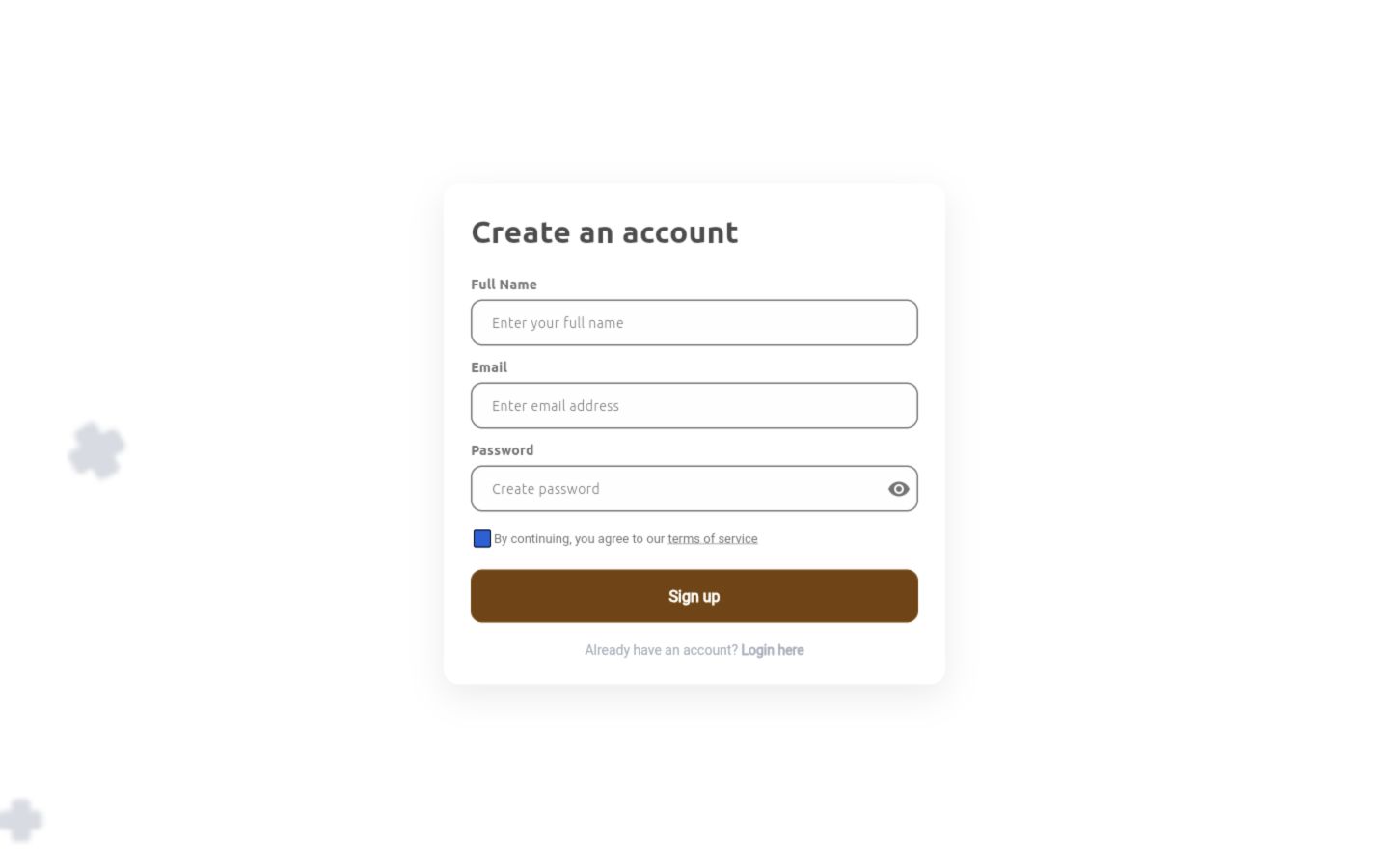
1 — Full Name, Email and Password · 2 — terms-of-service checkbox · 3 — Sign up.
Create an account form with name, email, password, terms and Sign up controls
Enter your details and register
Enter your full name and email address, create a password, accept the terms, then select Sign up. Wait for administrator approval before trying to sign in.
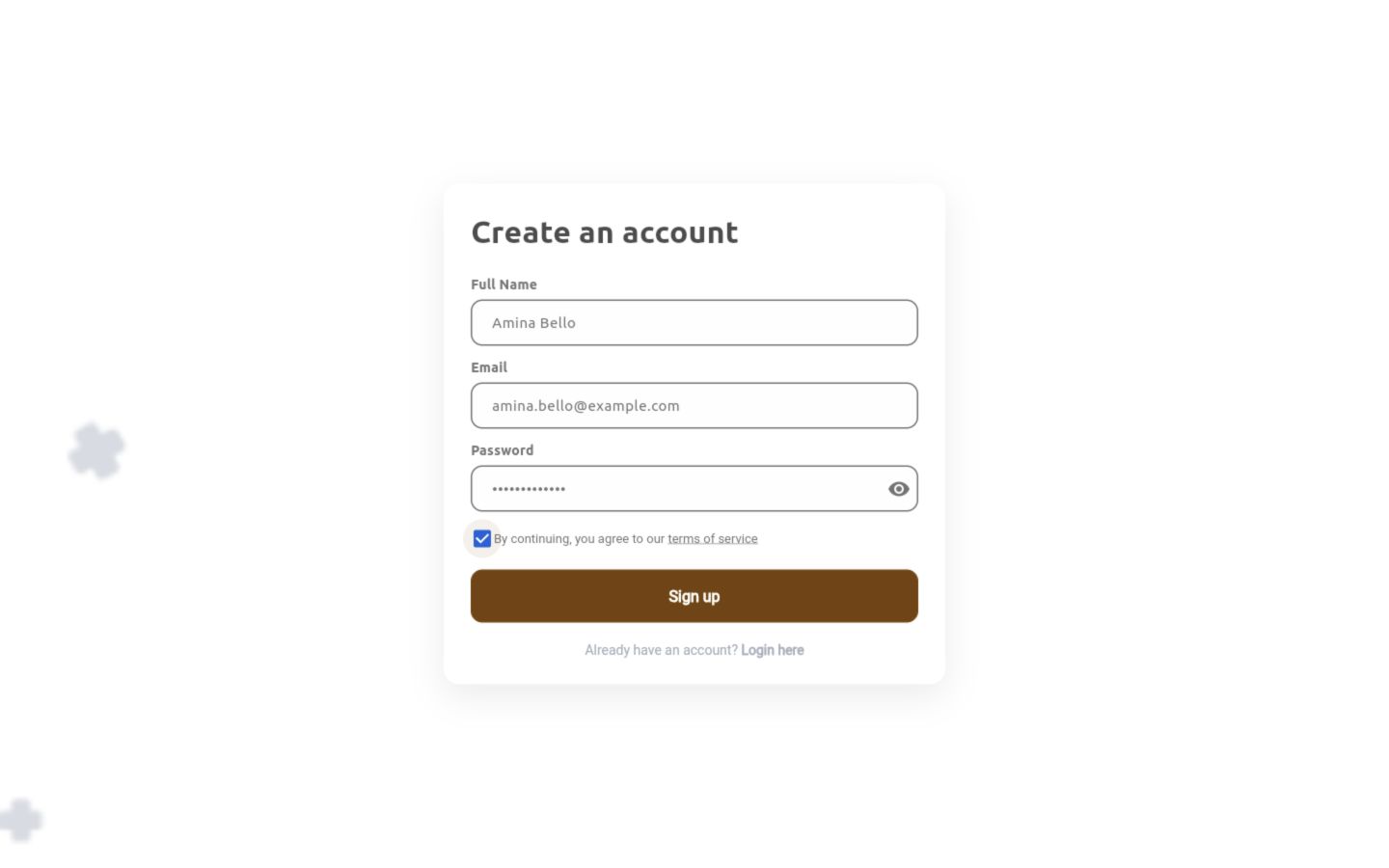
1 — completed account details · 2 — accepted terms · 3 — Sign up.
Registration form populated with an example learner name and email, a masked password and accepted terms
Done. Your registration is ready for administrator review.
If something goes wrong
I registered but cannot sign in.
A new account must be approved before it can reach learning content. Ask your training manager to check the registration if approval is taking longer than expected.
The Sign up button is unavailable.
Complete Full Name, Email and Password, then select the terms-of-service checkbox.